
怎么解决Win10更新失败报错“0x80240034”的问题
作者:佚名 来源:雨林木风 2017-11-21 21:26:26
在使用Win10更新失败报错“0x80240034”的朋友们,可以参考下面的解决方法!
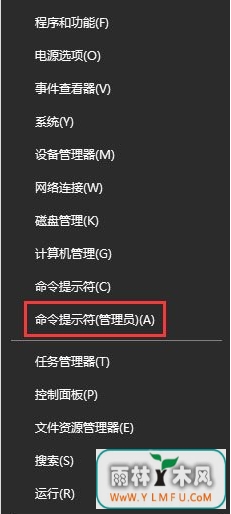
1、开始菜单右键,选择【命令提示符(管理员)(A)】;
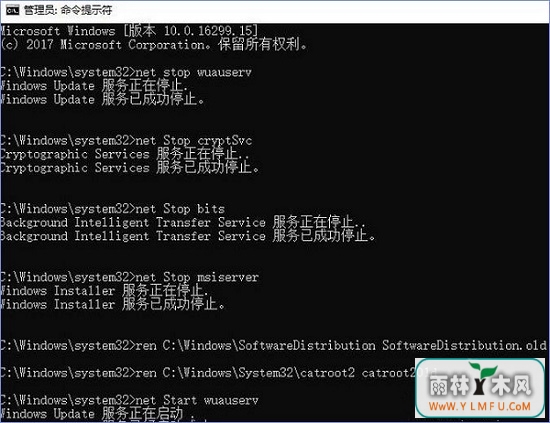
2、在管理员命令提示符下键入以下命令:
- net stop wuauserv
- net Stop cryptSvc
- net Stop bits
- net Stop msiserver
- ren C:\Windows\SoftwareDistribution SoftwareDistribution.old
- ren C:\Windows\System32\catroot2 catroot201d
- net Start wuauserv
- net start cryptSvc
- net Start bits
- net start msiserver
3、按照上述步骤操作完成后,重启一次计算机我们就能正常更新解决0x80240034 安装失败的问题了。
相关阅读

























- 热门手游
- 最新手游
- 本类周排行
- 本类总排行